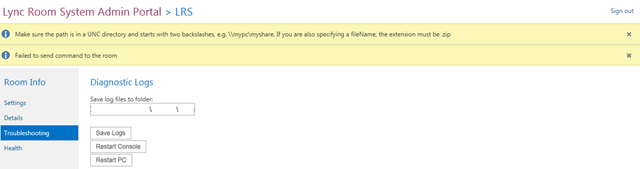
Came across the below error when trying to save log files from an LRS in the LRS admin Portal.
Make sure the path is in a UNC directory and starts with two backslashes, e.g \\mypc\myshare. If you are also specifying a fileName, the extension must be .zip.
Failed to send command to the room
I had the share in the format \\servername.domainname.com\LRS\logs\
I could navigate to the share so the path was ok, i set permissions to everyone to see if it was permissions and that didn’t fix it.
So i tried the path without the domain name so
\\servername\LRS\logs\
and it WORKED ! lol gotta laugh at these quirks 🙂
 Martin Boam's Microsoft Blog